

How to Make a Wedding Guestbook with Photos: Digital Guide

Article by
Gabi
Hi, I'm Gabi - Co-Founder of Bestever Pics. Thanks for visiting our blog. We are working hard to produce content which we hope resonates with you. Feel free to drop us a line on socials or via the contact form on the site.
What if your wedding guestbook captured the blurry dance-floor moments and warm messages you’d never get from a posed photo alone? A digital wedding photo guestbook gives guests a simple way to share candid snapshots, while still leaving room for the personal feel of a printed book.
It’s understandable to worry that guests will forget to take photos, skip an upload, or get stuck at an app download screen. A QR code that opens a shared gallery in a browser removes that extra step, while a printed guestbook can sit alongside it for handwritten notes.
This guide compares physical and digital options, then shares a practical plan for collecting guest photos and messages without creating another wedding-day job. You’ll see how to choose a digital wedding photo guestbook that fits your celebration and turn candid memories into a keepsake you’ll want to revisit.
Key Takeaways
- Choose a guestbook format by weighing guest effort, your preparation time, and the kind of keepsake you want.
- A digital wedding photo guestbook can collect candid perspectives, while handwritten notes or a hybrid setup add a tangible touch.
- Use clear prompts and easy-to-follow instructions to help guests contribute without adding work to your wedding day.
- After the celebration, organise guest contributions into moments and add brief captions where they help preserve context.
What makes a digital wedding photo guestbook different?
A photo guestbook is a wedding keepsake that brings together guest pictures, personal messages, or both. It might be a printed album, an instant-camera collection, a digital gallery, or a mix of physical and digital formats. The right choice depends less on what’s fashionable and more on what guests will use and what you’ll enjoy revisiting.
A digital wedding photo guestbook gathers photos in a shared gallery instead of relying on guests to print and attach pictures to pages during the reception. But “digital” doesn’t have to mean replacing a book. You can keep handwritten notes and collect guest-taken photos online, giving each format a clear role.
What counts as a wedding guestbook with photos?
Some couples attach printed pictures beside handwritten notes in an album. Others invite guests to take instant-camera photos and add them to a book. A digital gallery works differently: guests contribute photos from their phones, creating a collection of moments from across the celebration. A photo guestbook doesn’t need written messages to count.
For example, leave a simple message book on a table and display a QR code for photo uploads nearby. Guests who want to write can add a note, while those who’ve captured a candid moment can share it digitally. This hybrid approach keeps the familiar, hands-on book without asking guests to print or attach their photos.
Why invite guests to add their own photos?
Your photographer focuses on making considered images of the day. Guest photos add a different perspective: a quick snapshot during mingling, a reaction during the speeches, or friends letting loose on the dance floor. They complement professional wedding photography rather than replace it, preserving informal moments and viewpoints that might otherwise stay on someone’s phone.
Traditional guestbooks have often recorded who visited and left a message; traditional guestbooks have also evolved to include electronic formats. A shared digital gallery builds on that idea by collecting pictures as well as words. The trade-off is straightforward: a printed album offers a tactile object to browse, while a digital collection can bring together photos from guests who were in different parts of the celebration.
A photo guestbook is a collection of guest pictures, messages, or both, saved in a format the couple will want to revisit. Choose based on participation and the keepsake you value, not pressure to follow a trend. If the format feels easy for guests to use and suits how you want to remember the day, it’s doing its job.
How to make a wedding guestbook with photos: choose your format
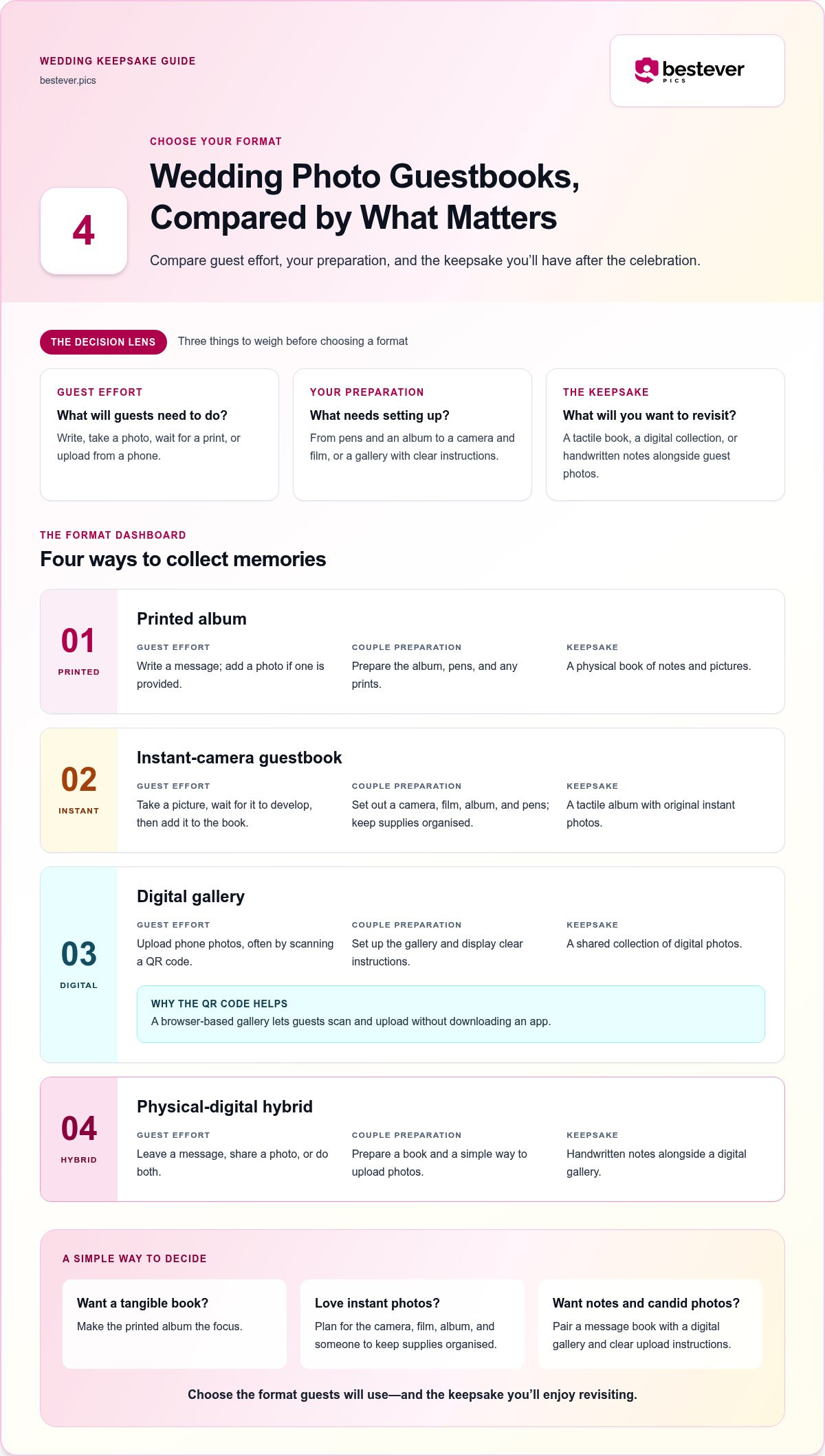
The best format is the one guests will actually use and you’ll want to look through later. A printed album gives you pages to hold; an instant-camera setup adds fresh prints and a hands-on activity; a digital gallery collects pictures guests take on their phones. A hybrid pairs the tactile book with a wider digital photo collection.
To choose, consider what guests need to do, what you’ll need to prepare, and what you want to have after the wedding. For example, if you want handwritten messages but don’t want to manage instant-camera supplies, pair a message book with a digital wedding photo guestbook. If the physical object matters most, make the printed album the focus.
| Format | Guest effort | Couple preparation | Finished keepsake |
|---|---|---|---|
| Printed album | Write a message; add a photo if provided | Prepare the album, pens, and any prints | A physical book of notes and pictures |
| Instant-camera guestbook | Take a picture, wait for it to develop, then add it to the book | Set out a camera, film, album, and pens | A tactile album with original instant photos |
| Digital gallery | Upload phone photos, often by scanning a QR code | Set up the gallery and display clear instructions | A shared collection of digital photos |
| Physical-digital hybrid | Leave a message, share a photo, or do both | Prepare a book and a simple way to upload photos | Handwritten notes alongside a digital gallery |
Printed and instant-camera guestbooks: what to plan for
A printed album is straightforward, but you’ll need to set out pens and decide whether guests will add photos. An instant-camera book takes more preparation: guests need to pause, take a picture, wait for the print, and stick it onto a page. That process creates a charming, tangible keepsake, but someone will need to keep the camera and supplies organised during the event.
Digital and hybrid photo guestbooks: what changes?
A digital gallery can collect the candid phone photos guests are already taking, without asking them to print or attach anything. With a hybrid, keep the message book for handwritten notes and use the gallery for pictures. A QR code makes the photo-sharing option easier to spot and use. Explore this digital guestbook guide as you weigh the options.
Think about your guests as well as your preferred keepsake. If your family loves instant photos, the camera setup may become part of the fun. If you want to avoid managing supplies during the reception or gather views from around the celebration, a digital wedding photo guestbook may suit you better. A web-based gallery lets guests scan a QR code and upload photos without downloading an app. See the wedding photo gallery option for an example.
Will a digital wedding photo guestbook feel personal enough?
Yes, it can. A digital gallery is a different kind of keepsake, not automatically a less personal one. A printed book offers the pleasure of turning pages and rereading handwritten notes; a gallery can gather candid perspectives from guests who captured different parts of the day. The personal touch comes from the moments and messages people choose to share, not just the format.
If you’re unsure, decide what you want to look back on. A digital wedding photo guestbook can hold more than a row of posed portraits: it may include a joyful dance-floor snapshot, a quiet moment with family, or a photo that brings back a guest’s view of the celebration. A brief caption can add context, such as who’s pictured or what made the moment memorable.
Which guestbook format fits your wedding?
- Go printed-first if your priority is a physical book guests can sign and you can browse at home.
- Go digital-first if your main goal is collecting candid photos guests take on their phones.
- Choose a hybrid if you want handwritten messages as well as a wider collection of guest photos.
There’s no need to force a single format to do everything. A printed book can preserve a guest’s handwriting, while a shared gallery gathers pictures from across the celebration. Choose the balance that fits your plans and gives guests a straightforward way to participate.
How to keep guest contributions meaningful
Give guests an easy invitation, not an assignment. A short prompt beside the book or QR code can help people decide what to share without pulling them away from the celebration. Keep it optional and quick, and make sure the prompt fits the format: suggest a message by the book or a favourite moment beside the QR code.
- “What was your favourite moment?”
- “Leave us a wish for married life.”
- “Who’s in this picture, and what’s happening?”
Prompts like these add a little story to a photo or message without asking guests to write an essay. For simple ideas on taking thoughtful, guest-friendly pictures, see these wedding photography tips for guests.
How to set up your photo guestbook before the wedding
A little planning before the celebration keeps your guestbook from becoming another job on the day. Decide what guests will contribute, make the instructions obvious, and test the process yourself. These steps work for a DIY, backyard, or micro wedding, whether you’re using a book, a gallery, or both.
- Choose your format. Decide whether you want a physical book, a digital gallery, or a hybrid before designing signs or printing materials. With a digital gallery, guests can scan a QR code to contribute without downloading an app. Set up the format before preparing the rest of the guestbook station.
- Prepare a short prompt. Give guests one friendly suggestion, such as “Share a favourite moment” or “Leave us a note.” Keep it optional, so guests can contribute in a way that feels natural to them. A brief prompt can inspire a message or photo without turning the guestbook into a task.
- Place the instructions where guests will see them. Set the book or QR sign somewhere people naturally pause, such as the welcome area. Use one clear instruction that says what guests can add and where it goes, like “Scan to share a photo from today.” For inspiration on making a QR sign easy to spot, browse these creative wedding QR code displays.
- Test the guest experience. Scan the QR code with your phone camera and follow the upload steps as a guest would. Check that the code opens the right gallery and that the sign is readable from where people will approach it. If anything feels confusing, simplify the wording or adjust the sign before the wedding.
- Review the setup before guests arrive. Do one final pass so you’re not troubleshooting during the celebration. Confirm the book, pens, and sign are in place, and make sure the QR code is visible and unobstructed. Ask a trusted helper to keep the area tidy, then focus on being present rather than managing the guestbook.
Turn guest photos into a wedding keepsake after the celebration
After the celebration, gather guest contributions in one place and review them at a relaxed pace. Remove exact duplicates, then group the photos by moments so the collection is easier to revisit. You don’t need to turn every image into a polished album.
Organize candid photos without losing their context
Arrange pictures into sections such as preparations, ceremony, speeches, and dancing. Keep images that show a distinct perspective, even if they’re less polished than your formal photographs. A brief caption can identify someone, explain an inside joke, or remind you why a moment mattered.
- Gather contributions before sorting through them.
- Remove exact duplicates while keeping different views of the same moment.
- Add short captions where they help preserve context.
Printing is optional, so you can enjoy the digital collection as it is or select a few photos for a physical album later. A digital gallery doesn’t automatically become a printed book, so choose the format that suits how you want to look back on the day. For more ideas on gathering guest pictures, read this wedding photo sharing guide.
Choose a simple way to collect wedding guest photos
Make your choice by considering guest effort, your setup workload, and the kind of keepsake you’d like to revisit. A digital wedding photo guestbook can collect candid phone pictures in one gallery without asking guests to download an app. If handwritten messages matter too, pair the gallery with a physical book.
Bestever.pics offers a web-based guest photo-sharing gallery with a custom QR code, so guests can upload photos without downloading an app. Explore the app-free private wedding photo gallery to give guests a simple way to share their pictures.
Make your wedding memories easy to revisit
The right guestbook is the one that fits your celebration and feels simple for guests to use. Choose a printed book for handwritten notes, a digital gallery for candid phone photos, or a hybrid if you want both. A few clear instructions and a quick test before the wedding can help guests contribute without adding another task to your day.
A digital wedding photo guestbook can feel personal because it gathers the moments and perspectives your guests choose to share. With a custom QR code, they can upload photos to a shared gallery without downloading an app, giving you another way to collect the little in-between memories alongside your professional photographs.
Give your guests an easy way to add their view of the day, then enjoy looking back at the celebration through their eyes.
Frequently Asked Questions
Can you make a wedding guestbook with photos without an instant camera?
Yes. Guests can share pictures taken on their phones in a digital gallery, while you keep a separate physical book for handwritten messages. This hybrid option lets you collect both kinds of memories without setting up an instant camera at the reception. If you’d prefer a printed photo keepsake, choose pictures from the gallery after the wedding and make an album then.
Is a digital wedding photo guestbook as personal as a traditional guestbook?
It can feel personal in a different way. A traditional book preserves each guest’s handwriting, while a digital wedding photo guestbook can gather candid moments from different parts of the day. Pair the gallery with a message book if you’d like both. Optional prompts, such as “What was your favourite moment?”, can add meaning without making guests feel they have homework.
How do wedding guests upload photos to a digital guestbook?
Share a QR code that opens a web-based photo gallery, where guests follow the upload instructions on their phones. Make the sign easy to spot and keep the directions short, such as “Scan to share a photo from today.” Before the wedding, scan the code yourself and try uploading a picture. Then ask someone unfamiliar with the setup to test it too.
What should you write on a wedding photo guestbook sign?
Use a warm, direct invitation that tells guests what to do and what they can share. For example: “Scan the QR code to add a favourite photo or candid moment from today.” Keep the text short and large enough to read from nearby, so guests don’t need to stop and study a block of instructions. A simple prompt helps make contributing feel optional and easy.
Can a wedding guestbook combine photos and written messages?
Yes. Set out a physical book for handwritten notes and use a digital gallery to collect phone photos. This gives guests two simple ways to contribute, and lets you revisit the messages and pictures in the formats that suit them. Place the book and QR sign where guests can see both, then explain each option clearly so nobody has to guess where a note or photo should go.
How do you encourage wedding guests to share candid photos?
Make the invitation clear, quick, and easy to find. Place a QR sign near a natural gathering point, give guests one sentence of instructions, and offer a light prompt such as “Share a favourite moment.” Keep uploads optional so guests can stay focused on celebrating. Test the QR code and upload steps before the wedding; a practice run can reveal unclear wording or a hard-to-spot sign.